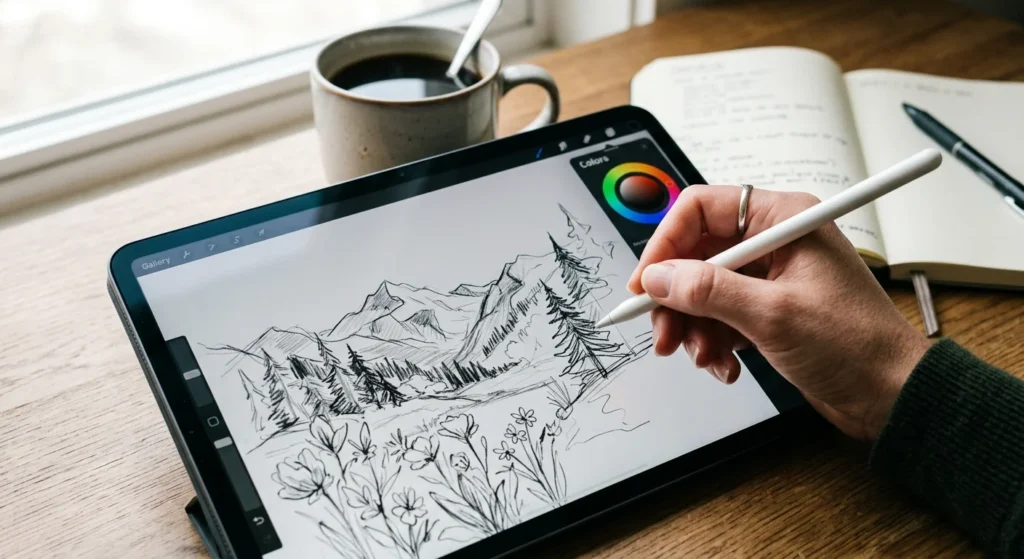

The best Apple Pencil alternative right now is the Logitech Crayon, since it runs on licensed Apple Pencil technology and pairs instantly with no Bluetooth setup. It costs $69.99, well under the Apple Pencil Pro’s $129 price tag, without the reliability problems that plague most reverse-engineered styluses.
That said, “best” depends on what you actually do with a stylus. A student who just needs legible notes has different priorities than someone drawing in Procreate for three hours a day. Below are five tested alternatives, what each one is actually good at, and where they fall short.
Why Look Beyond The Apple Pencil
Apple’s own styluses have gotten more expensive, not less. The Apple Pencil (USB-C) lists at $79, the 2nd generation model runs $129, and the Apple Pencil Pro, which adds squeeze gestures and barrel roll for the latest iPad Pro and iPad Air, also sits at $129. Retailers discount these occasionally, but the starting price is still a real barrier for casual users.
Third-party styluses close most of that gap. None of them fully match the Apple Pencil’s pressure sensitivity, which Apple has never officially disclosed but is widely estimated at several thousand levels. What they do offer is tilt support, solid palm rejection, and, in a few cases, features Apple doesn’t bother with at any price, like cross-device switching or built-in Find My tracking.
Best Apple Pencil Alternative Overall: Logitech Crayon
The Logitech Crayon earns the top spot for one specific reason: it’s built on licensed Apple Pencil technology rather than reverse-engineered signal mimicry. That gives it native-level palm rejection and pairing that other third-party pens simply cannot replicate, since they’re guessing at a protocol Apple hasn’t published.
At 20 grams, the Crayon has a flat, roll-resistant barrel that survives desk edges and backpack tumbles, backed by a 4-foot drop rating. There’s no pressure sensitivity, only tilt-based line variation, and no magnetic multi-device switching. For anyone who wants a stylus that just works the moment they pick it up, that trade-off is easy to accept.
- Price: $69.99
- Connectivity: Native iPad signal, no Bluetooth pairing needed
- Pressure sensitivity: Tilt support only
- Best for: Students and note-takers who want zero setup friction
1. Where It Falls Short
There’s no programmable shortcut button and no way to pair the same Crayon across an iPad and an iPhone the way some competitors allow. If gesture controls or multi-device flexibility matter to you, look further down this list.

Best Budget Apple Pencil Alternative: ESR Geo Digital Pencil
At $29.99, the ESR Geo Digital Pencil is the cheapest stylus on this list that still handles palm rejection and tilt sensitivity properly. Its standout feature is native Apple Find My integration, meaning you can locate a lost pencil on a map the same way you’d track an AirTag. No other budget stylus currently offers this.
The trade-off is charging convenience. There’s no magnetic snap-to-iPad charging here, so you’ll need a USB-C cable on hand. It also uses a basic beacon rather than Apple’s full “Nearby” chip, so close-range tracking precision lags behind genuine Apple hardware.
- Price: $29.99
- Connectivity: Bluetooth for Find My, plus native signal for drawing
- Pressure sensitivity: Tilt support only
- Best for: Casual note-takers who want Apple ecosystem tracking without Apple pricing
Best Apple Pencil Alternative For Artists: Metapen A14
Digital artists care about one thing above all else: does the line go where you put it? The Metapen A14 uses a re-engineered 0.1mm tip that noticeably cuts down on the jitter that has historically made third-party styluses feel wobbly during detailed linework and tight curves.
It skips pressure sensitivity entirely, relying on tilt for line variation, which will take some adjustment if you’re coming from a real Apple Pencil. What it adds instead is wireless magnetic charging that snaps directly to compatible iPads, a Bluetooth battery readout, and a moisture-resistant coating aimed at people who draw for long stretches and don’t want sweat or humidity affecting grip.
- Price: $35.99
- Connectivity: Native iPad signal plus Bluetooth for battery display
- Pressure sensitivity: Tilt support only
- Best for: Illustrators and Procreate users who prioritize line precision over pressure control
1. A Note On Compatibility
The A14’s magnetic charging only works with iPad models that support snap-to-charge, generally recent iPad Air and iPad Pro generations. Check your exact iPad model against Metapen’s compatibility list before buying, since the pen will still draw on older iPads but won’t charge magnetically.
Best Premium Apple Pencil Alternative: Zagg Pro Stylus 2
The Zagg Pro Stylus 2 is built for people who want one pen that does more than draw. Its dual-tip design puts an active tip on one end for precision iPad work and a capacitive tip on the other for scrolling and swiping, which also means it works on older iPhones and non-stylus screens where active pens don’t function at all.
At 20 grams, it’s the heaviest stylus here, and there’s no Bluetooth shortcut button, which feels like an odd omission at this price. But Qi wireless charging compatibility means you can top it up on any charging pad you already own rather than hunting for a proprietary cable.
- Price: $79.99
- Connectivity: Native iPad signal
- Pressure sensitivity: Tilt support only
- Best for: People who want one stylus that works across an iPad, an older iPhone, and other touchscreens
Best Apple Pencil Alternative For Multiple Devices: Adonit Dash 4
Households with a mix of iPads, older tablets, and Android devices have a real problem: most active styluses only talk to one ecosystem. The Adonit Dash 4 solves this with a physical toggle on the cap. Flip it to Universal Mode, and it works on virtually any touchscreen using passive capacitive input, or flip it to iPad Mode for dedicated palm rejection on modern iPads.
Neither mode requires Bluetooth pairing, so switching between devices is instant. The catch is the proprietary magnetic USB-C charging stand. Lose it, and there’s no easy way to top up the pen until you source a replacement.
- Price: $59.99
- Connectivity: Universal passive mode plus dedicated active iPad mode
- Pressure sensitivity: None
- Best for: Multi-device households or anyone switching between an iPad and other tablets regularly
Quick Comparison: Which Apple Pencil Alternative Fits You
| Stylus | Price | Palm Rejection | Charging | Best For |
| Logitech Crayon | $69.99 | Native-level | USB-C | Reliability, zero setup |
| ESR Geo Digital Pencil | $29.99 | Yes | USB-C | Tightest budget |
| Metapen A14 | $35.99 | Yes | Magnetic wireless | Artists and illustrators |
| Zagg Pro Stylus 2 | $79.99 | Yes | Qi wireless | Cross-screen versatility |
| Adonit Dash 4 | $59.99 | iPad mode only | Magnetic stand | Multiple devices |
What To Check Before You Buy A Third-Party Stylus
Compatibility trips up more stylus buyers than any spec sheet number. Before ordering, confirm your exact iPad model and generation against the stylus maker’s supported device list, since even styluses that use the same “active” technology often have gaps for older iPad Air or base iPad models.
Pressure sensitivity is the feature every alternative on this list sacrifices to hit a lower price. If shading and line weight control genuinely matter for your work, tilt sensitivity is a workable substitute but not a real replacement, and no amount of marketing copy changes that. Palm rejection quality varies more between brands than most buying guides admit, so if you can test a stylus in a store before buying, do it.
Finally, think about charging habits honestly. A pen with proprietary magnetic charging is convenient until you lose the cable or stand, while a USB-C pen is less elegant but far easier to keep alive with gear you already own.
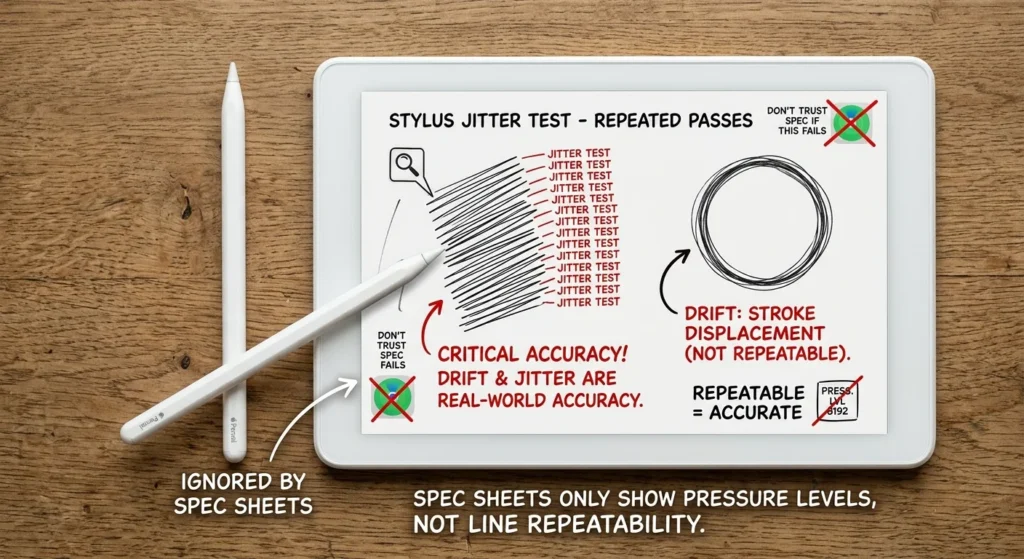
1. Test The Tip Before You Commit
Line jitter is the detail spec sheets never capture well. Draw the same short line over and over, or trace a small circle a few times, and watch whether the stroke lands in the same place each pass or drifts slightly. This single test tells you more about a stylus’s real-world accuracy than any pressure-level number printed on the box.
Return policies matter more with styluses than with most tech purchases, since a pen that feels great in a five-minute store demo can feel different after an hour of actual note-taking or sketching. Buy from a retailer with a straightforward return window, keep the packaging until you’ve tested the stylus properly, and don’t assume a higher price automatically means a better feel in your hand.
How Third-Party Styluses Compare To The Apple Pencil
The honest answer is that none of these five fully replace a genuine Apple Pencil for professional digital art. Apple’s pressure sensitivity and haptic feedback on the Pencil Pro remain unmatched, and that gap shows up in fine art work more than in note-taking.
For everyone else, the calculation flips. A student writing lecture notes, someone marking up PDFs, or a casual sketcher doesn’t need thousands of pressure levels to get real value from an iPad. In that use case, saving $50 to $100 on a stylus that handles tilt and palm rejection well is a straightforward trade worth making.

There’s also a second-device argument that Apple’s own lineup doesn’t solve. If you own an older iPad alongside a newer one, or you split time between an iPad and an Android tablet, Apple’s Pencils are locked to specific hardware generations. A universal stylus like the Adonit Dash 4 sidesteps that problem entirely, which is a genuine gap in Apple’s own product line rather than just a cheaper copy of it.